
REVIEW · FLORENCE
Uffizi Gallery skip-the-line ticket & self-guided visit APP
Book on GetYourGuide →Operated by CAF Tour & Travel · Bookable on GetYourGuide
The Uffizi can feel like a to-do list with a line. This skip-the-line Uffizi Gallery ticket plus self-guided audio app is built for you to move inside faster and learn as you go. You get an audio commentary app with an interactive 3D map, so you can make sense of what you’re seeing instead of just drifting.
Two things I really like about this setup: first, the promise of skip-the-line entry through a reserved booking-holder door, and second, the way the app includes guided listening plus a map and icons to help you find key works. If you enjoy Renaissance art, the lineup of named highlights reads like a greatest-hits poster: Giotto, Botticelli, Leonardo, Michelangelo, Caravaggio.
One drawback to consider: this is self-guided, and you’ll be relying on your phone and headphones. Also, there is at least one reported case where the skip-the-line didn’t work as expected and the phone audio guide failed, leading to extra on-site cost for replacement audio.
In This Review
- Key points before you go
- A practical way to experience the Uffizi without the usual slog
- Meeting point details: door 1 and a human with a plan
- What you actually get on-site: ticket + app code
- How the self-guided audio tour works inside the Uffizi
- The masterpieces to aim for: what the audio content focuses on
- A smart pacing strategy so you don’t burn your day
- Price and value: is $61.49 worth it?
- When this self-guided format fits best (and when it won’t)
- The realistic downside: tech dependence and audio reliability
- Should you book this Uffizi Gallery ticket & app?
- FAQ
- Do I need to bring my own smartphone and headphones?
- Where do I meet for the skip-the-line entry?
- How do I get access to the audio tour?
- How long is the ticket valid?
- What languages are available for the audio tour?
- Is this suitable for children?
- What is the cancellation policy?
Key points before you go

- Reserved entrance near door 1 for booking holders, with an assistant in blue at the meeting point
- Audio tour via your smartphone with multi-language support (Chinese, English, French, German, Italian, Spanish)
- Interactive 3D map with icons to help you orient through the museum
- Major masterpieces included in the audio content, including Botticelli, Leonardo, Michelangelo, and Caravaggio
- Headsets not included: bring headphones and a charged phone so you’re not stuck
A practical way to experience the Uffizi without the usual slog
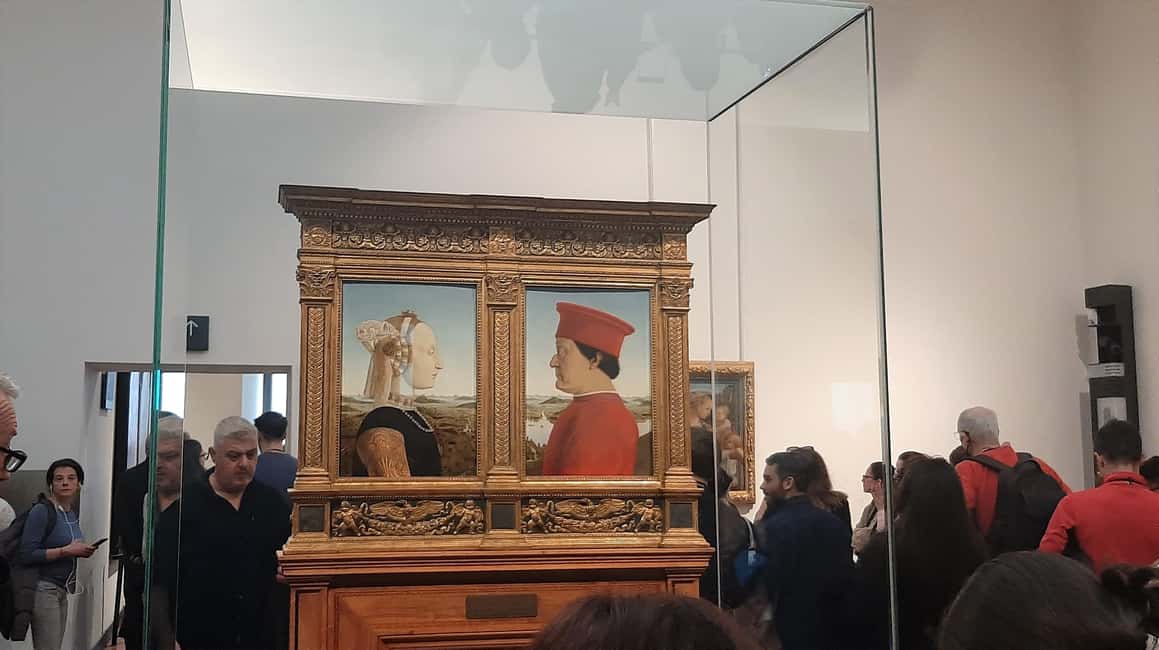
The Uffizi is famous for good reason, but that reputation brings crowds. This ticket-and-app format is designed to reduce the most stressful part: wasting time at the ticket counter. Instead, you’re set up to get in and start using the audio right away.
I like that the museum visit is truly at your own pace. You’re not boxed into a group rhythm where you have to keep up with someone else’s questions. If a painting catches your eye, you can linger. If you want to move quickly through more crowded rooms, you can do that too.
Also, the app approach helps you get more from each stop. You’re not just staring at Renaissance faces and landscapes with no context. The 3D map and icons mean you can understand how rooms and artworks relate, rather than treating the museum like a random maze.
You can also read our reviews of more tours and experiences in Florence



Meeting point details: door 1 and a human with a plan
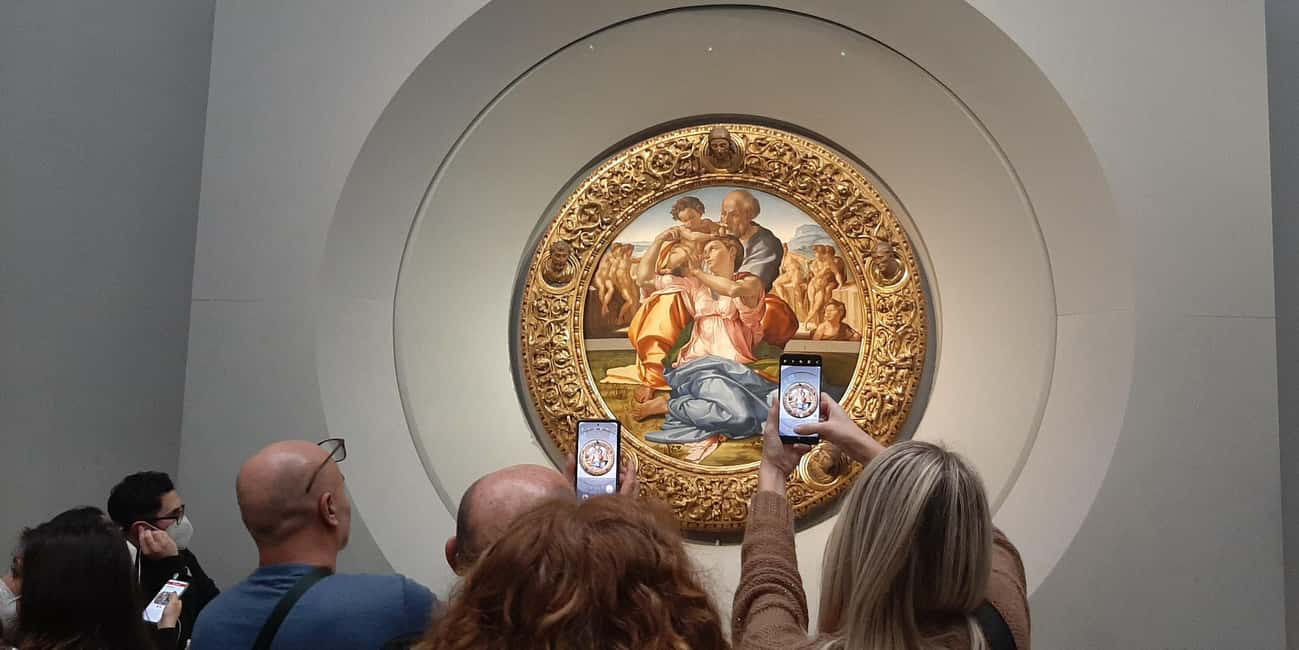
The best part of any skip-the-line experience is where it starts. Here, your start point is close to door number 1, specifically described as an entrance reserved for booking holders. When you arrive, there’s an assistant waiting at the meeting point wearing blue clothing with Caf Tour and Gray Line logos.
That matters because it cuts down uncertainty. You’re not wandering around trying to guess which line you’re supposed to be in. You just show up near door 1, find the right person, and move forward.
When you meet the assistant, you’re set up for immediate ticket handling at the museum entrance. The ticket and the app code are delivered at the site, not earlier on email. So your first “job” is simple: show up with what you need (more on that in a minute), then follow the assistant’s instructions.
What you actually get on-site: ticket + app code

This is not one of those experiences where you download an app and hope everything works. On arrival at the museum entrance, you get your skip-the-line entrance ticket right there, plus the app code needed to use the audio tour.
The app itself has a clear requirement: you must download it from the App Store on your smartphone. Then, once you have the code, you can unlock the tour content and start listening.
One more key detail: this is built for smartphone use only. The activity notes you need your own phone and hearphones/headsets to listen. That means you should travel like you’re going to the museum, not like you’re just picking up a pass.
How the self-guided audio tour works inside the Uffizi
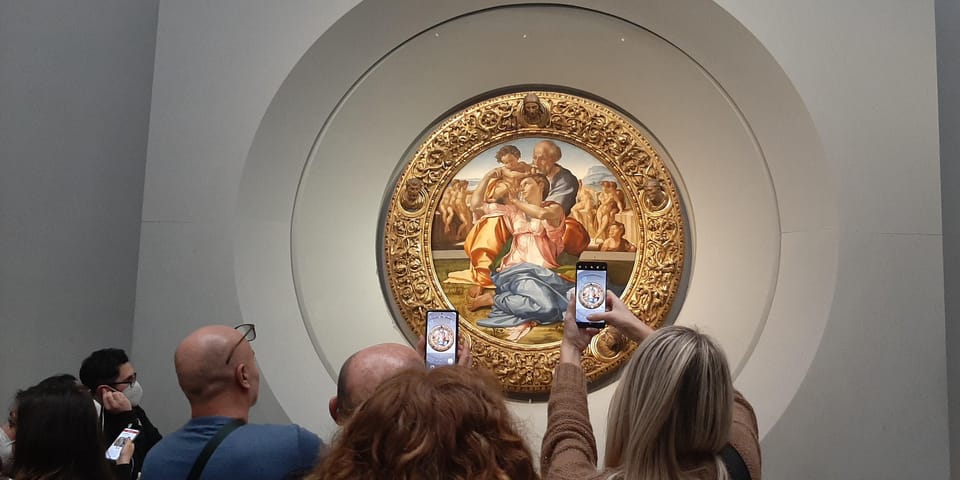
Once you’re in, the experience shifts from “tour logistics” to “museum rhythm.” You walk, you stop, you listen. The audio is multi-language, and the app includes an interactive 3D map plus icons.
Here’s how I’d think about it if you want value: the app isn’t just background noise. It helps you keep track of where you are and what you’re looking at, so your time feels productive. Without that, the Uffizi can be overwhelming fast because you’re seeing masterworks back-to-back.
Practical tip: use the map like a compass, not like a GPS. If you’re the kind of person who gets motion-sick by constant instructions, you’ll likely do better by using the map to confirm you’re on track, then letting your eyes lead. The museum is the point, and the audio is there to add meaning when you stop.
Also, since the tour is explicitly self-guided, expect the pace to depend on your choices. You can do “quick highlights” if that’s your style, or you can slow down for paintings that pull you in.
The masterpieces to aim for: what the audio content focuses on
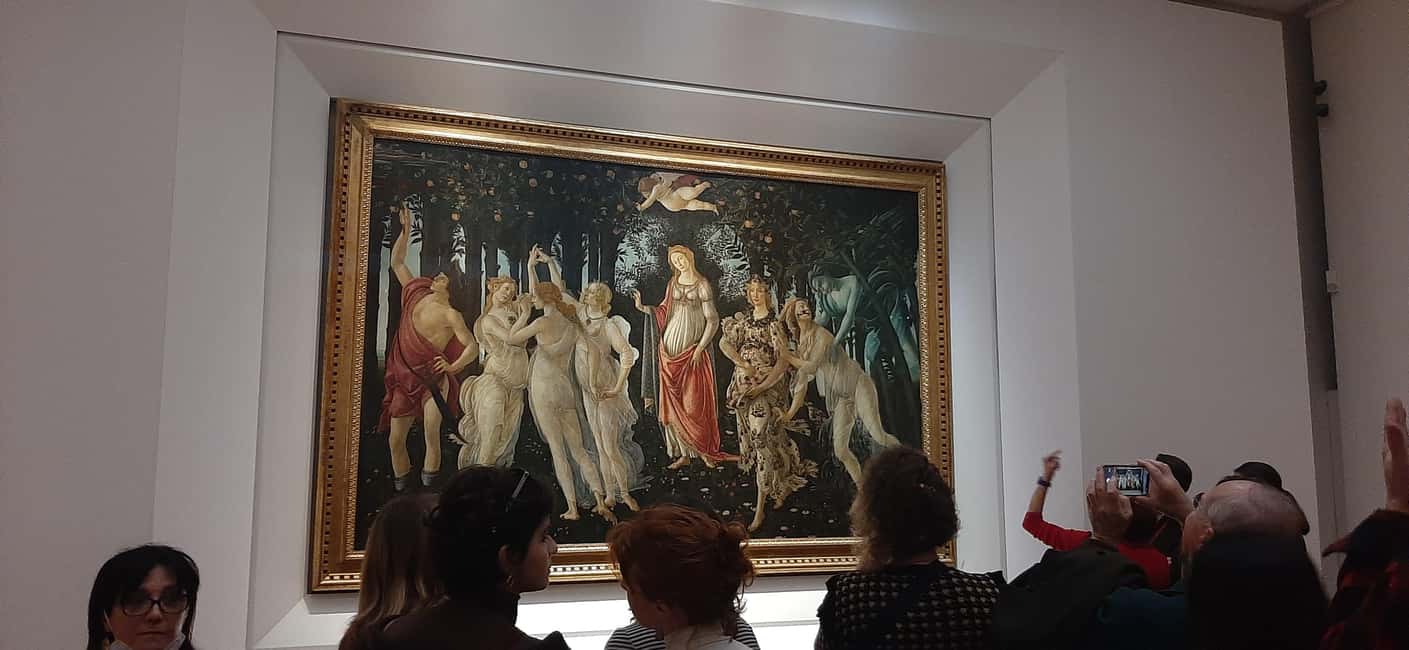
The audio tour is centered on major Renaissance names and standout works. The listed examples are great anchors for planning because they tell you what kind of experience you’ll get. The big titles mentioned include:
- Giotto’s Ognissanti Madonna
- Botticelli’s Spring and the Birth of Venus
- Leonardo’s Annunciation and the Adoration of the Magi
- Michelangelo’s Tondo Doni
- Caravaggio’s Bacchus
What you should take from that list is the balance of the Uffizi’s appeal. You’re not only seeing religious scenes; you’re also seeing myth and human anatomy studies, and the way artists used light, anatomy, and gesture to make stories feel alive.
When you’re inside, don’t treat these as checkboxes. Use them as waypoints. For example:
- If you start with the Botticelli works, you’ll quickly see how “classic mythology” can still feel intimate and emotional.
- If you jump to Leonardo, you’ll notice how the storytelling is built into posture and expression, not just the subject matter.
- If you save Caravaggio for later, it can hit harder because you’ll have seen enough Renaissance polish to appreciate his more dramatic, direct approach.
And yes, there are many other works beyond the names above. The tour content points you to key pieces, but your real enjoyment comes from how long you let yourself look.
You can also read our reviews of more guided tours in Florence
- The Best tour in Florence: Renaissance & Medici Tales – guided by a STORYTELLER
★ 5.0 · 12,316 reviews






A smart pacing strategy so you don’t burn your day

Because this is self-guided, your biggest risk is wasting time in the wrong way: stopping too often without listening, or listening without looking. I like a simple rhythm that keeps things from turning into fatigue.
Try this:
- Pick 2 to 3 “anchor” works you care about most (use the named highlights above).
- For each anchor, give the audio a full listen at your own pace, not while you’re mid-step.
- After that, choose a nearby work or two and let your eyes decide, then check the app’s map/icons if you want reassurance.
This method keeps the day from feeling like an audition. You’re not sprinting between rooms, but you’re also not drifting. You’ll feel like you discovered things rather than just passed through.
Also, wear comfortable shoes. The Uffizi is a walking museum, and if you’re sore, you’ll rush just to make it stop.
Price and value: is $61.49 worth it?

At $61.49 per person, you’re not just buying museum admission. You’re paying for a package that includes:
- Museum skip-the-line entrance ticket
- Immediate ticket delivery at the entrance
- The multi-language audio tour app with interactive 3D map and icons
- Assistance at the meeting point (assistant at the meeting point)
So how do you judge value? By thinking about your two biggest “costs” in time and hassle.
If (1) you truly get through faster at the reserved entrance and (2) the audio works smoothly on your phone, this can be a solid convenience upgrade. The audio tour can be especially valuable if you like understanding context while you look, since the Uffizi’s density of famous art can otherwise become noise.
But there’s a reality check. A reported issue exists where the ticket was not a true skip-the-line, and the smartphone audio didn’t work, with an extra on-site cost (the report cited an additional 12 euros). That’s not something you can ignore—because it’s exactly when paid convenience stops feeling convenient.
My advice to protect your money: treat your phone and headphones as part of the ticket price.
- Bring a charged smartphone
- Bring headphones, since headsets are not included
- Keep your app ready after you download it, so you’re not troubleshooting at the entrance
If your tech is ready and your entry is smooth, you’ll likely feel good about the value.
When this self-guided format fits best (and when it won’t)
This experience fits you if you want art time without a group schedule. It’s also a good match if you enjoy learning as you look and you like having a tool that helps you orient with a 3D map.
It’s less ideal if you:
- hate relying on a smartphone for a key part of the experience
- need an in-person live guide to keep you on track
- don’t want the extra mental load of downloading an app, entering a code, and troubleshooting audio if something goes wrong
Age-wise, it notes the tour isn’t available for kids 0–11, and it specifically says it’s not suitable for children under 12. Adult pricing applies to all participants, so plan for that if you’re traveling as a family.
The realistic downside: tech dependence and audio reliability

This is the part you should plan for, not panic about. Self-guided audio tours are only as good as the device playing them.
The data you have includes a serious complaint about the audio not working and the skip-the-line not functioning as expected. I can’t guarantee your experience will match that report. But you can reduce your risk.
Do these simple things before you go:
- Download the app on Wi-Fi and confirm it opens
- Charge your phone fully
- Bring headphones that you know work
- Consider a power bank if you have one
Then inside: once you get your app code, test the audio quickly. If something seems off, you’ll have more time to resolve it early rather than after you’ve already moved deeper into the museum.
That’s how you turn a “tech-dependent” tour into a reliable plan.
Should you book this Uffizi Gallery ticket & app?
Book it if you want a faster entrance and you’ll actually use the audio tour instead of treating it like a backup plan. The combination of skip-the-line access, immediate ticket delivery, and a map-based audio approach is a good match for independent travelers who like Renaissance art and don’t want to rush.
Skip it (or choose something else) if you’re likely to struggle with smartphone audio, if you don’t travel with headphones, or if you strongly prefer a fully guided experience with fewer variables.
If you’re organized—charged phone, headphones in hand, and a willingness to listen while you look—this is a practical way to enjoy the Uffizi on your schedule, with big-name masterpieces like Botticelli, Leonardo, Michelangelo, and Caravaggio built into the audio journey.
FAQ
Do I need to bring my own smartphone and headphones?
Yes. You must provide your own smartphone, and headsets are not included, so you’ll need headphones to hear the audio tour.
Where do I meet for the skip-the-line entry?
The meeting point is located close to door number 1 at the museum, at the entrance reserved to booking holders.
How do I get access to the audio tour?
Download the app from the App Store first. Then, the app code and your skip-the-line ticket are delivered at the museum entrance.
How long is the ticket valid?
The ticket is valid for 1 day. You’ll also want to check availability to see starting times.
What languages are available for the audio tour?
Chinese, English, French, German, Italian, and Spanish.
Is this suitable for children?
It is not available for ages 0–11, and it is not suitable for children under 12. Adult price is applied to all participants.
What is the cancellation policy?
Free cancellation is available up to 24 hours in advance for a full refund.
You Might Also Enjoy




More Guided Tours in Florence
- The Best tour in Florence: Renaissance & Medici Tales – guided by a STORYTELLER
★ 5.0 · 12,316 reviews

More Tickets in Florence



More Tour Reviews in Florence
- Tuscany Day Trip from Florence: Siena, San Gimignano, Pisa and Lunch at a Winery
★ 5.0 · 21,634 reviews - The Best tour in Florence: Renaissance & Medici Tales – guided by a STORYTELLER
★ 5.0 · 12,316 reviews